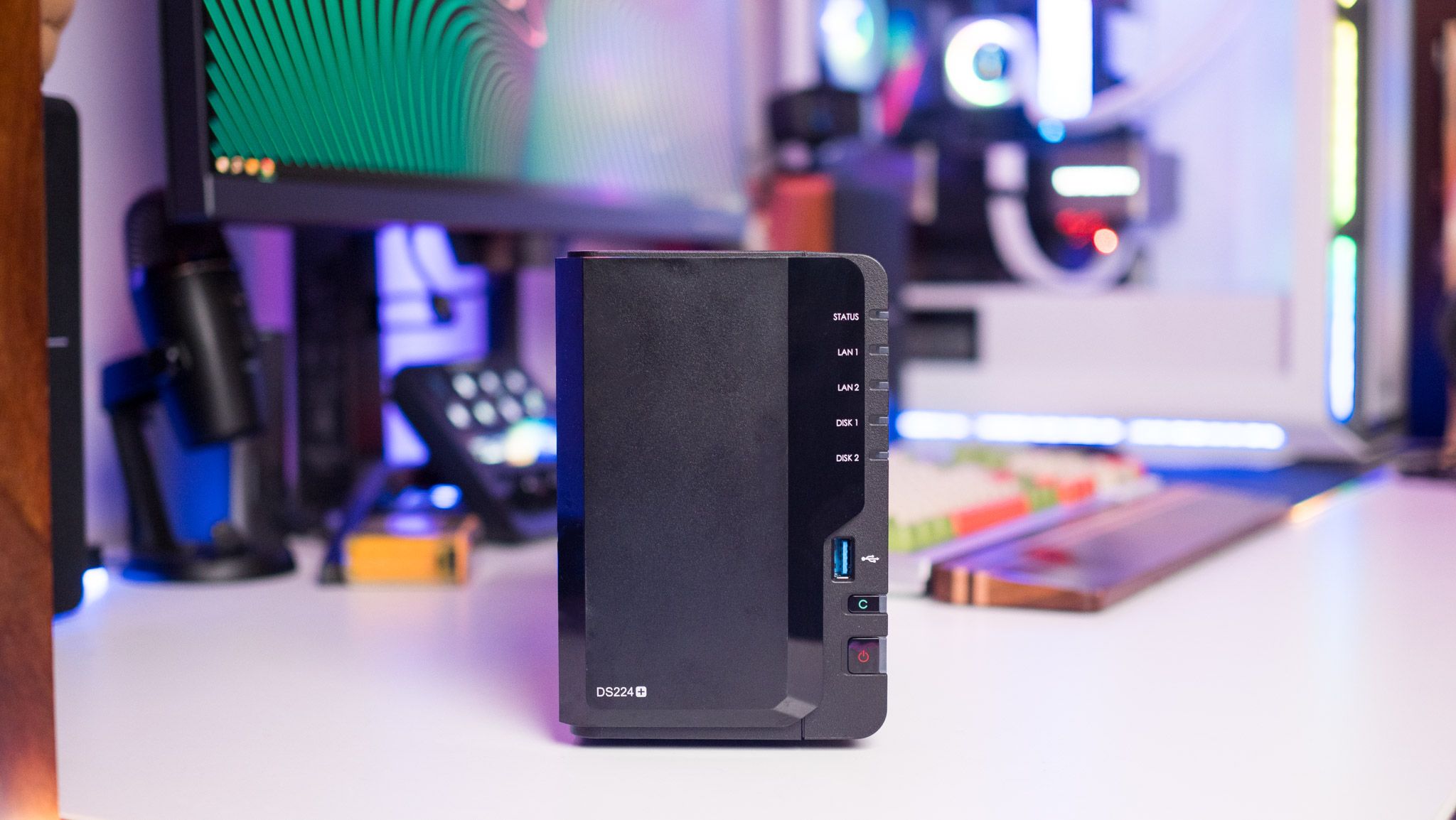
In the digital age, our media libraries have grown exponentially, filled with movies, TV shows, music, and photos. For many, Plex has become the indispensable software that transforms this sprawling collection into a beautifully organized, streamable experience across all devices. But where do you store and serve all that high-resolution content, especially demanding 4K video? The answer for an increasing number of enthusiasts is a network attached storage for Plex setup.
Running Plex on a Network Attached Storage (NAS) device offers a robust, energy-efficient, and centralized solution for all your media streaming needs. Far beyond just a simple hard drive, a NAS acts as a dedicated, always-on media server, capable of handling everything from organizing vast libraries to transcoding high-bitrate 4K files for seamless playback on any device. If you're looking to elevate your home entertainment, understanding the nuances of a Plex NAS is your first step towards uninterrupted, high-resolution streaming.
Why a Network Attached Storage for Plex is the Smart Choice
When considering the best platform for your Plex Media Server, a NAS consistently outperforms traditional personal computers for several compelling reasons. Its design and functionality are inherently suited to the demands of a home media hub.
Power Efficiency and Always-On Reliability
One of the most significant advantages of a NAS over a standard PC is power consumption. A typical desktop computer, especially one powerful enough to run Plex with demanding transcoding, can draw substantial wattage. Leaving it on 24/7, which is essential for an always-available Plex server, leads to considerable electricity bills. A dedicated network attached storage for Plex, however, is designed for continuous operation with minimal power draw. Many NAS devices consume less than 30 watts, significantly less than a PC, translating into substantial long-term savings on your energy bill and a smaller carbon footprint.
Centralized Media Hub and Versatility
Your NAS is likely the device in your household with the largest storage capacity. It's the logical place to centralize all your precious media files, ensuring easy access and robust data protection through RAID configurations. Beyond just storing your media, a modern NAS is a multi-talented workhorse. It can simultaneously function as a file server, a backup target for all your devices, a surveillance station, a download manager for torrents or Usenet, and, of course, a powerful Plex Media Server. This consolidation of functions on a single, always-on device streamlines your home IT infrastructure and maximizes efficiency. For a deeper dive into why a NAS beats a PC for this purpose, consider reading our article on Why a NAS Beats a PC for Your Plex Media Server.
Dedicated Performance for Media Serving
Unlike a PC that juggles multiple tasks, a NAS can be optimized primarily for media serving. This dedication means its resources are focused on delivering your content efficiently. When you choose a NAS with sufficient processing power and memory, it provides a stable and consistent platform for Plex, minimizing buffering and ensuring smooth playback, even when multiple users are streaming simultaneously or when demanding tasks like 4K transcoding are required.
Understanding Transcoding for High-Resolution Content
For anyone serious about high-resolution streaming, especially 4K, understanding transcoding is absolutely critical. It's often the bottleneck that separates a smooth viewing experience from a frustrating one.
What is Transcoding?
At its core, transcoding is the process of converting a media file from one format or bitrate to another in real-time. Plex performs transcoding when your client device (e.g., smart TV, phone, web browser) cannot directly play the original media file due to format incompatibility, insufficient network bandwidth, or other limitations. For instance, if you have a high-bitrate 4K HEVC file, but your ancient smart TV only supports 1080p H.264, Plex will transcode the 4K file down to a compatible format and resolution.
Hardware vs. Software Transcoding
Transcoding is an extremely CPU-intensive operation. For high-resolution content like 4K, software transcoding (where the CPU alone handles the conversion) can quickly overwhelm even powerful processors, leading to stuttering or buffering. This is where hardware transcoding comes in. Many modern NAS devices, particularly those with Intel Celeron, Core i3, i5, or i7 processors, include dedicated graphics processors (like Intel's Quick Sync Video) that can offload the heavy lifting of video encoding and decoding. This significantly reduces CPU utilization, allowing for much smoother, faster, and more efficient transcoding, especially for multiple simultaneous streams or demanding 4K content.
Direct Play: The Ideal Scenario
While transcoding is a valuable feature, the ultimate goal for high-resolution streaming is "direct play." This means the Plex Media Server simply sends the original media file directly to the client device without any alteration. Direct play consumes minimal server resources, resulting in the highest possible quality and zero buffering. To achieve direct play as often as possible, ensure your client devices support the codecs and containers of your media files (e.g., HEVC for 4K), and that your home network has sufficient bandwidth (Gigabit Ethernet is highly recommended for wired connections, and robust Wi-Fi 5 or Wi-Fi 6 for wireless).
Key Factors When Choosing Your Plex NAS for 4K Streaming
Selecting the right network attached storage for Plex that can handle 4K content effectively requires careful consideration of several technical specifications. A budget of around $600-700 might get you a good entry-level NAS, but remember that hard drives are often sold separately.
Processor Power: The Heart of Your Server
The CPU is arguably the most critical component for Plex performance, especially for transcoding. For reliable 4K transcoding, you'll generally want a NAS with an Intel processor that includes Quick Sync Video technology. Look for:
- Intel Celeron: Found in many popular mid-range NAS models (e.g., Synology DS920+, QNAP TS-251+), these are often capable of handling one or two 4K transcodes, especially if the source material is H.264 or HEVC with common profiles.
- Intel Core i3/i5/i7: These high-end processors, found in more premium NAS units (like the Qnap TVS-1282-i7), offer significantly more raw power and superior Quick Sync capabilities, making them ideal for multiple concurrent 4K transcodes or very challenging codecs.
- ARM Processors: While many entry-level NAS devices use ARM-based CPUs (like Marvell or Realtek), these generally lack the dedicated hardware transcoding capabilities needed for 4K content. They are excellent for direct play scenarios but will struggle significantly if transcoding is required.
RAM: More Than Just Storage
While Plex itself doesn't demand an enormous amount of RAM, having sufficient memory is crucial for the overall responsiveness of your NAS. 4GB is a good starting point for a Plex NAS, but 8GB or more is recommended for heavier usage, especially if you plan to run other services alongside Plex, such as download managers, virtual machines, or multiple Docker containers. Adequate RAM ensures the operating system, Plex, and other background processes run smoothly without constant paging to slower storage.
Storage Capacity & Speed: Preparing for 4K Libraries
4K movies are notoriously large, often ranging from 20GB to over 80GB per file. This means you'll need substantial storage. Consider a multi-bay NAS (2-bay, 4-bay, or more) to accommodate several high-capacity hard drives (e.g., 8TB, 12TB, 16TB). RAID configurations (like RAID 1 or RAID 5) are essential for data redundancy, protecting your valuable media collection from single drive failures. While SSDs aren't strictly necessary for media storage, a small SSD cache can improve the responsiveness of the NAS interface and certain Plex operations, though it's not a primary requirement for streaming itself.
Network Connectivity: Gigabit is a Must
High-resolution streams demand high bandwidth. A Gigabit Ethernet connection (1000 Mbps) is absolutely essential for your NAS to your router and for any wired client devices. While Wi-Fi 5 (802.11ac) or Wi-Fi 6 (802.11ax) can handle 4K streams wirelessly, a wired connection is always more reliable and less prone to interference. Ensure your entire network infrastructure, from your router to your switches, supports Gigabit speeds.
Budget Considerations: Balancing Cost and Performance
As you've seen, NAS prices for Plex vary wildly, from under $300 for basic models to several thousand for high-performance units. This difference largely stems from the processor, RAM, and drive bay count. An affordable 2-bay NAS like the ASUSTOR AS3202T might handle basic 1080p streaming, but for reliable 4K transcoding, you'll likely need to invest in a model with a more capable Intel Celeron or i3 processor. For more detailed guidance on balancing features, transcoding capabilities, and your budget, refer to our comprehensive guide: Choosing Your Plex NAS: Features, Transcoding, and Budget Guide.
Practical Tips for Optimizing Your Plex on NAS Setup
Once you've chosen your network attached storage for Plex, a few optimization strategies can make all the difference for a superior high-resolution streaming experience.
- Choose the Right NAS for Your Needs: Reiterate the importance of a strong CPU with hardware transcoding for 4K. Don't underestimate the demands of 4K; a truly budget-oriented NAS might not cut it.
- Optimize Your Network Infrastructure: Prioritize wired Gigabit Ethernet connections for your NAS and primary streaming devices. Invest in a reliable router that can handle high bandwidth and multiple connections. If using Wi-Fi, ensure your access points are strategically placed and your devices support modern Wi-Fi standards.
- Select Compatible Client Devices: Wherever possible, use client devices that are capable of "direct playing" your 4K content. Newer smart TVs, NVIDIA SHIELD TVs, Apple TV 4K, and modern streaming sticks often have excellent codec support, reducing the need for your NAS to transcode.
- Manage Your Media Library: Consistent naming conventions and proper metadata tagging will help Plex organize your library efficiently. For 4K content, consider optimizing audio tracks (e.g., removing unneeded DTS tracks if your client only supports AAC or AC3) or creating optimized versions of challenging files for specific devices if direct play isn't consistently possible.
- Monitor Performance: Utilize Plex's Dashboard (Plex Web App > Activity > Dashboard) to monitor what your Plex server is doing in real-time. This will show you if a stream is direct playing, direct streaming, or transcoding, and provide insights into CPU usage. This invaluable tool helps troubleshoot buffering issues and identify resource bottlenecks.
Setting up your Plex Media Server on a NAS is an investment that pays off with unparalleled convenience, reliability, and the joy of a perfectly organized media collection. By understanding the core requirements for high-resolution streaming, particularly the role of transcoding and processor power, you can build a robust system that delivers stunning 4K content seamlessly throughout your home.
With the right network attached storage for Plex, you're not just buying a piece of hardware; you're creating the central nervous system for your home's entertainment, ensuring your high-resolution movies and shows are always ready to stream, looking their absolute best, without a hitch. Take the time to research, choose wisely, and enjoy the ultimate Plex experience.